How to Avoid the JioHotstar NM-1001_429 Account Lock and Block Ads Safely?

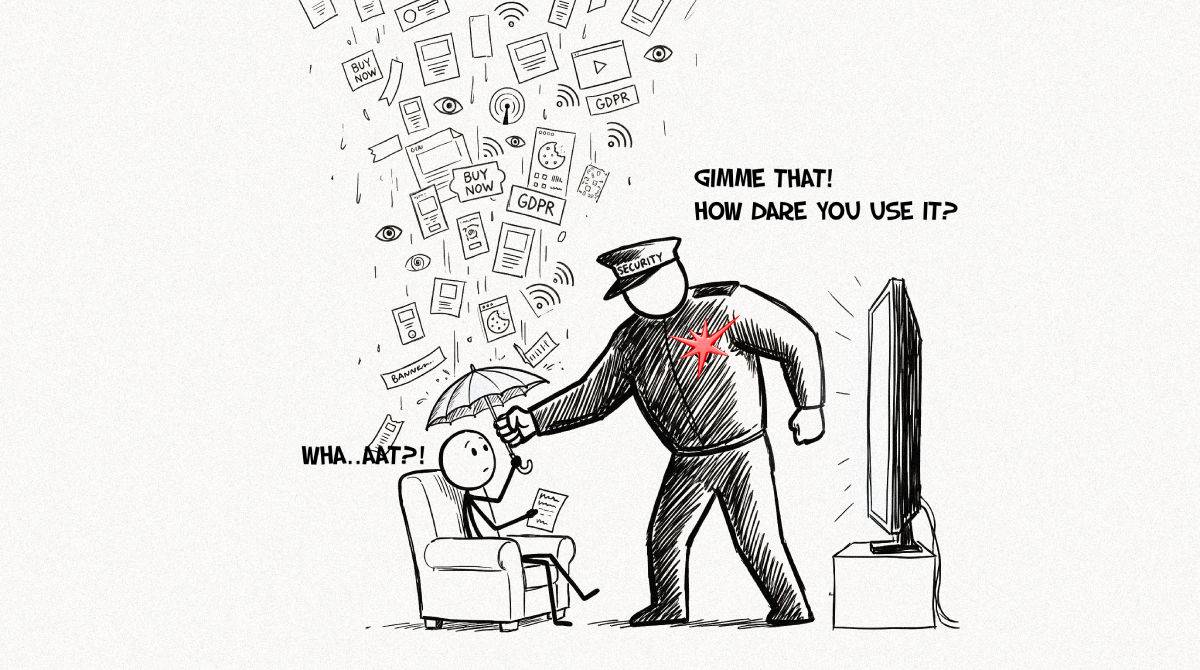
My computer belongs to me! Period!
When I open a web browser, I get to decide what code runs on my machine, what trackers are allowed to follow me around the internet, and what plugins I install. Privacy is a fundamental human right! And definitely not a privilege to trade just because I decide to pay for a streaming subscription.
Lately, paying JioHotstar users, who happen to use privacy-respecting browsers like Brave or Firefox, or run ad blockers, have been reporting account blocks with an ‘unusual activity’ or ‘suspicious activity’ message, quoting NM-1001_429, PB_ANDROID_NM-4290, PB_IOS_NM-4290 and other variants like these.
And even their error message reads like an accusation:
“We have detected suspicious activity on this device. For your safety, we have locked this account for 24 hours.”
“For your safety.” Right! Nothing says customer safety quite like locking a paying subscriber out of their own account without telling them what they supposedly did wrong. Bleh!
Looking at the threads on Reddit, here, and on Twitter, it looks like even their support doesn’t have a clue about what causes the block in the first place. They just reply with a canned response with a list of assumptions on what could be wrong (VPN, use of adblocker, unofficial apps). So what the heck is it?
Anyways, I wanted to dig into this and understand what was actually triggering these 24-hour bans. Either they could be reading our extensions (our browser leaks a lot of info usually), or their video player could have an active listener for ads, and when it doesn’t get an advertisement, it dials home and tells on us.
Documenting what I found in their client-side source and when I watched some shows with some extensions turned on, observing the network activity.
What JioHotstar sends to your browser
If you look at their website source, the bottom of the HTML file contains a massive block of scrambled text labeled defaultConfig. It’s the app’s default configuration (for player, ads, payments, analytics) encoded in Base64. The site also pulls a live config from /api/internal/config while you watch as well.
The settings don’t show why the 24-hour ban happens, though. That decision is made on Hotstar’s backend. However, they do show how the player behaves along with plus a few interesting names.
"all.analytics.retry_policy": { "heartbeat": { "retries": 2, "delay_millis": 500 } },
"all.playback.enable_honeypot_visiblity_on_show_intervention": true,
"all.playback.honeypot_cps_update_interval_seconds": 60,
"all.playback.honeypot_entitlement_expiry_error_codes": { "error_codes": [426] },
"all.playback.retry_path": "play/v5/playback/content/",
"web.playback.playback_global_retry_count": 20,
"web.playback.playback_retry_max_retry_count": 3,
"web.playback.base_time_vod_ms": 2000,
"web.playback.max_delay_time_vod_ms": 8000,
"web.playback.fatal_error_codes_config": { "fatalErrorCodes": [403, 417, 425, 426, 429, 529] },
"web.ads.enable_preroll": false,
"web.ads.enable_midroll": false,
The playback retries are capped at 3 per playback, spaced 2 to 8 seconds apart. And the last two keys tell us that the pre-roll and mid-roll video ads are switched off.
What happens when you watch with privacy extensions
I watched an episode for about 20 minutes on Chrome with uBlock Origin Lite and Privacy Badger turned on, with the Network tab filtered for playback.
My blockers stopped every heartbeat to their bifrost-api.hotstar.com/v2/heartbeat and all analytics events. Chrome logged each one as net::ERR_BLOCKED_BY_CLIENT as expected. And the video kept playing without any 426 or 429. There were zero calls to the playback retry path play/v5/playback/content/. The only matches for my filter were three config refreshes. And the blocked heartbeats showed up in groups of three, matching "retries": 2, "delay_millis": 500 in their config, which is one attempt, two retries half a second apart, then it waits for the next heartbeat.
So blocking their tracking did not get me locked out. At least not in the session at the time of writing (since I purchased a plan exclusively to test this, I might have to wait a bit longer maybe).
What the 429 error code means
Let’s look at the error code again: PB_WEB_NM-1001_429. 429 is the HTTP status code for Too Many Requests. Normally it means a client sent too many requests in a short time. But Hotstar shows the same “suspicious activity” message for NM-4290 on iOS and Android, so here 429 most likely could mean “our system flagged this account,” and not literally “you sent too many requests.”
Also, JioHotstar uses the opensource web player from the Shaka project. Looking at their documentation, it appears Hotstar adds its own prefixes. So with some guesswork here is how we can map them.
| Part | Meaning |
|---|---|
PB | Playback |
WEB / Android /IOS | Platform |
DR | DRM |
PL | Player |
NW | Network |
NM | Network/manifest layer (exact expansion unknown) |
AV | Apple AVFoundation |
| number | Underlying player/OS error code |
_404, _417, _429, _529 | HTTP status returned by the server |
_001, _002, _003 | Hotstar sub-variant |
_X | Unknown |
If you deep dive into Shaka’s error codes from their official documentation, the code 1001 is BAD_HTTP_STATUS, which means the server responded, but with an error. So NM-1001_429 means the server responded with 429.
And their servers would also notice a client hammering them. The API request I captured has an x-hs-retry-count header, but it was 0.
So what actually triggers the 24-hour block?
Based on my observation from the client side, I guess it could either be bot detection tripping up or missing pings that gets scanned over a scheduled job. Looking at the sad state of bot-infested Hotstar support responses, I will try my best to clarify what’s going on!
Fingerprinting and bot detection
The config enables device fingerprinting (web.fingerprint.enable: true) and reCAPTCHA Enterprise. The site also sets _abck and bm_sz cookies, which belong to Akamai Bot Manager, a service that scores visitors as human or bot using browser signals when we are viewing the page. Brave and Firefox (hardened) protects us from fingerprinting and make our browser look slightly different each session. But this means, one account can look like many devices … or like a bot. Ideally this is what a “suspicious activity” lock should be built to catch. And in this case, given that iOS and Android app users also get NM-4290, it seems that the detection system in their backend is doing a lousy job flagging false positives.
Missing pings that gets flagged later
My blocked heartbeats hasn’t caused any immediate block (yet), but their servers can still see a stream with no heartbeats or analytics events, and overtime some reactive system (this is completely my guess) flags the accounts. Or it could be some guy who is responsible for ad revenue and is on a desperate pursuit to boost the numbers.
Then again the config also has honeypot_cps_update_interval_seconds: 60, which ties it to error 426 (entitlement expiry). The ‘honeypot’ thingy reads like a bot trap, but the same config also keeps what appears to be a free-preview timer state right next to it (all.cps.default_init.when.ft_expiry, with consumed_time_ms and expire_at). My guess is that this is for checking how much you’re allowed to watch. Doesn’t seem like a trap for ad blockers. cps most likely refers to a “common properties” service. The config points it at a /common-properties endpoint that sets it up with free-timer values, and updates it while you watch. Also, blocking bifrost-api.hotstar.com didn’t stop my stream too.
Also looking at the support email snapshots from others, VPNs and proxies are likely misquoted by them (Jio’s dumb support bots). In the code, they get their own separate error (HTTP 471 to 476: “Looks like you’re connecting through a VPN, proxy or ‘unblocker’ service”) and not the 24-hour block.
What they send about you
The privacy side is where it gets interesting and as usual alarming. The API request I captured carried an x-hs-proxystate header with a Base64. Decoded, it contains my state, city, PIN code, what looks like an age bracket, and the cherry on top is the NCCS_A (India’s socio-economic classification), and about 30 unexplained segment codes. However, my browser sent DNT: 1 and Sec-GPC: 1 on that very request, asking not to be tracked.
Safe ways to block ads on JioHotstar without getting blocked
Here’s what workes for me. Chrome with uBlock Origin Lite and Privacy Badger, both fully on. Heartbeats blocked, analytics blocked, and no block.
Allow fingerprinting to avoid accidental bot detection
Chrome doesn’t randomise your fingerprint. So if you’re on Brave or Firefox and getting blocked, try giving Hotstar a stable fingerprint while keeping your blockers on.
- Brave: open the Shields panel on hotstar.com and turn off fingerprint blocking for that site only. Leave tracker and ad blocking on.
- Firefox: if you’ve set
privacy.resistFingerprintingtotrueinabout:config, addhotstar.com,jiohotstar.comtoprivacy.resistFingerprinting.exemptedDomains. If your tracking protection is set to strict instead, turn it off for Hotstar from the shield icon in the address bar, and keep uBlock Origin on.
Hand ad requests an empty box (uBlock Origin)
Do this in addition to the previous step.
In Hotstar’s configuration file, there is a section called web.coralogix.inbound_filters. This is a list of errors that Hotstar’s engineers ignore in their monitoring system, probably as noise:
"web.ad-sdk.ERR_empty_vast_3000""adbreak NOT found in vmap""No Ad could be played in the current adbreak"
So why do they ignore ERR_empty_vast_3000? Because in the online ad business, sometimes an ad server genuinely won’t have an ad ready for you. When that happens, the ad server doesn’t block the connection. It replies with a polite, empty digital envelope, called an empty VAST (Video Ad Serving Template) response, that basically says, “Sorry, no ads in stock right now, keep playing the movie!”
When a normal ad blocker blocks an ad server, the request just fails. With uBlock Origin, we can instead hand the player a fake, empty envelope, so it takes the same path as a genuine “no ads in stock” and moves on:
! Hand third-party ad requests a valid "Empty Ad" response instead of blocking them
||securepubads.g.doubleclick.net/gampad/ads*$xmlhttprequest,redirect=noopvast-2.0,domain=hotstar.com|jiohotstar.com
||pubads.g.doubleclick.net/gampad/ads*$xmlhttprequest,redirect=noopvast-2.0,domain=hotstar.com|jiohotstar.com
A few caveats. The config has website pre-roll and mid-roll switched off, so on regular shows there may be nothing for these rules to catch. Check that gampad requests actually appear in your Network tab (F12) on Hotstar. If they don’t, then the rules do nothing. And these rules need the full uBlock Origin (for example on Firefox), which Google Chrome conveniently doesn’t support anymore.
Let their pings through (only as a last resort)
If you’re still getting locked after doing all of the above, after 24 hours, you can add the following rules to let Hotstar’s own pings through. Be wary about this though! This gives them exactly the tracking info they need.
! Last resort: allow Hotstar's first-party pings (gives up tracking protection; no proven benefit)
@@||bifrost-api.hotstar.com^$domain=hotstar.com|jiohotstar.com
@@||hspx.hotstar.com^$domain=hotstar.com|jiohotstar.com
@@||hesads.akamaized.net^$domain=hotstar.com|jiohotstar.com
@@||hotstar.com/*/common-properties$domain=hotstar.com|jiohotstar.com
@@||hotstar.com/assets-x/web/om/$domain=hotstar.com|jiohotstar.com
What about the Android and iOS apps?
The config I looked at is for the web version, so it can’t tell us what the apps do. But one developer’s notes on modifying the Android app give a big hint. According to them, the app sends Hotstar a device report with eight yes/no flags. Emulator, rooted, tampered, proxy, VPN active, suspicious files, open ports, and debugger enabled. Their own re-signed copy of the app reported IsTampered=true and got their account locked for 24 hours with NM-4290.
Here’s the catch for privacy-minded Android users. Most system-wide ad blockers on Android (AdGuard in its default mode, Blokada, RethinkDNS, NetGuard and the like) work by running a local VPN on your phone. Your traffic never leaves the device, but to the app, it can look exactly like a VPN is on.
So if the app keeps locking you out, switch from VPN to DNS-level blocking. On Android, use Private DNS (Settings → Network & internet → Private DNS) with a blocking DNS provider like NextDNS, AdGuard, or Control D, On iOS, use a DNS profile instead of a VPN-style blocker.
What about blocking ads in live cricket stream?
Live is kind of messier. Some live ad breaks appear to be part of the broadcast feed itself. For break types whose codes start with LB, the player doesn’t even ask an ad server for an ad (common.ads.disable_vast_call_prefix_list). But the config also shows the player fetching other live mid-rolls on its own (common.ads.enable_live_midroll: true, prefetched 60 seconds ahead). So it’s a mix.
Anyways, if ads are how Hotstar and other streaming services want to make money on top of the subscription from the user, it’s up to them and their greed. But taking away our choice of using privacy tools, freedom to skip unwanted ads, is not right and shouldn’t be normalised. In my opinion, such harsh tracking and persistent ads without the ability to skip it shouldn’t be legal at all. I hope this helps someone. If you have a better solution or suggestions, do mention it in the comments.
A final note to streaming engineers
Look, I get it. Streaming 4K video and live sports to millions of people is expensive, and ad-supported tiers help pay your bills.
If you want to serve ads on a lower-cost plan, do the engineering work to serve them cleanly, or price your ad-free tiers fairly. What you don’t get to do is dictate which browser a paying customer need to use, or treat privacy tools like an attack, or lock legitimate accounts for 24 hours for reasons you won’t even care to explain paying customers.
We totally get why you have an ad blocker. If you enjoy reading Geekswipe, turning it off for us helps keep the site alive and the science coming.

Aeronautical engineer, product builder, developer, science fiction author, and an explorer. I'm the creator and editor of Geekswipe. I love writing about physics, aerospace, astronomy, and technology.
More by Karthikeyan KC