I am using the udm=14 query filter that shows plain links with no AI Overview. You can just make it your default search in both browsers. Add a search engine that uses it, and every Google search from the address bar lands there.
https://www.google.com/search?q=%s&udm=14
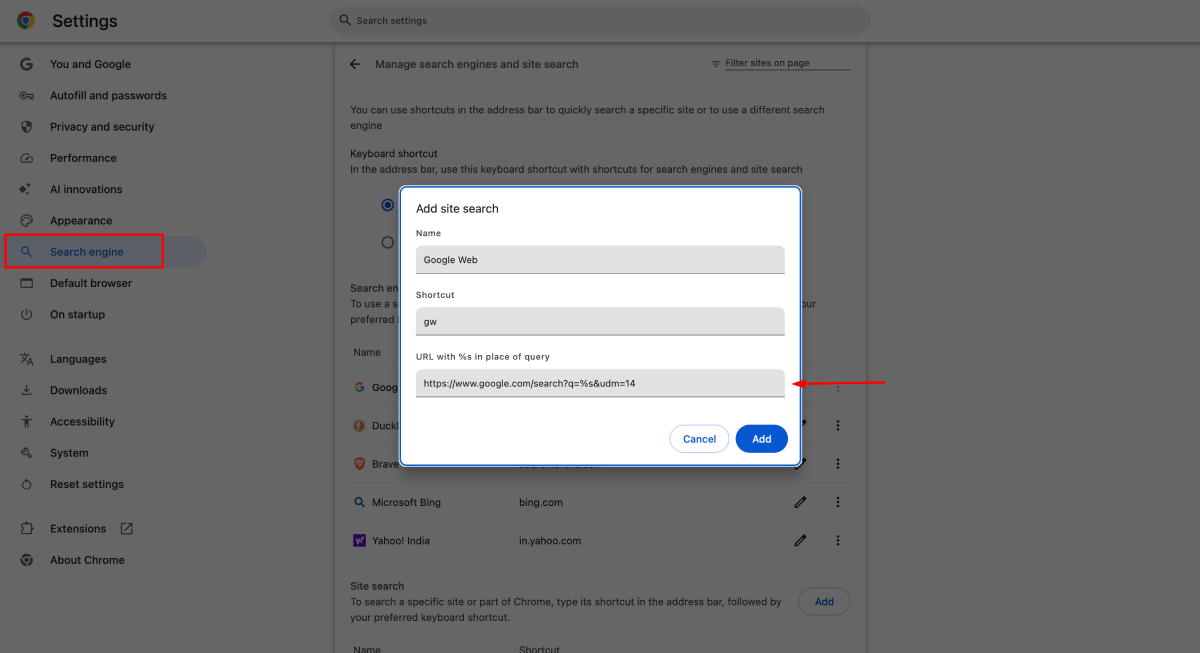
For Chrome – Go to Settings > Search engine > Manage search engines > site search (or paste chrome://settings/searchEngines into the address bar). Next to Site search, click Add. Give it a name like Google Web, a shortcut like gw, and paste the URL above into “URL with %s in place of query”. Then click the three dots next to your new entry and choose Make default.
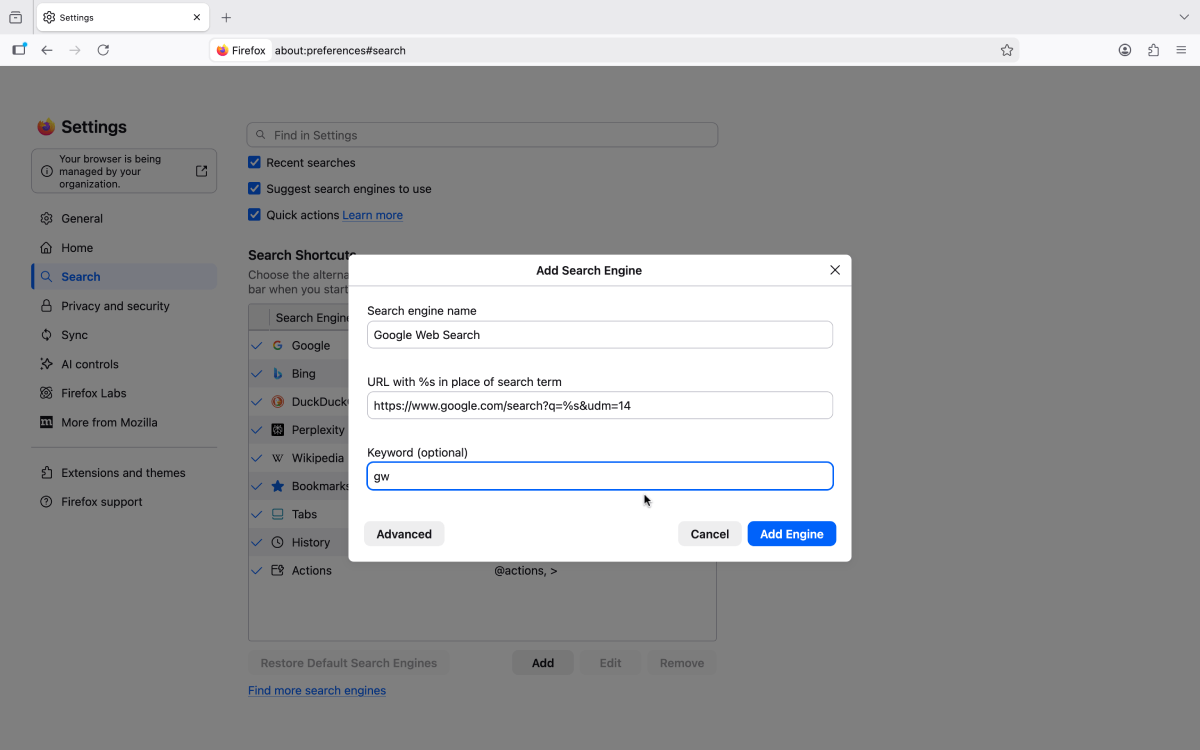
Firefox – Go to Settings > Search > Add below the list of search engines (newer versions call it Add search engine). Fill in the name, paste the URL into “URL with %s in place of search term”, add a keyword if you like, and click Add Engine. Then pick your new engine from the Default search engine menu on the same page.
Gotcha – It only works for searches you start from the address bar, so typing into google.com itself still gets you the AI box. And Google has never promised to keep udm=14 around.